
When someone searches for what you do in your area — “plumber near me,” “physio Scarborough,” “Italian restaurant Perth” — Google shows a map with three results. That’s the local pack, and it’s the most visible real estate in local search.
Getting into those three spots isn’t random. Google uses specific signals to decide which businesses show up, and most of those signals are things you can influence.
Here’s how it actually works, and what to do about it.
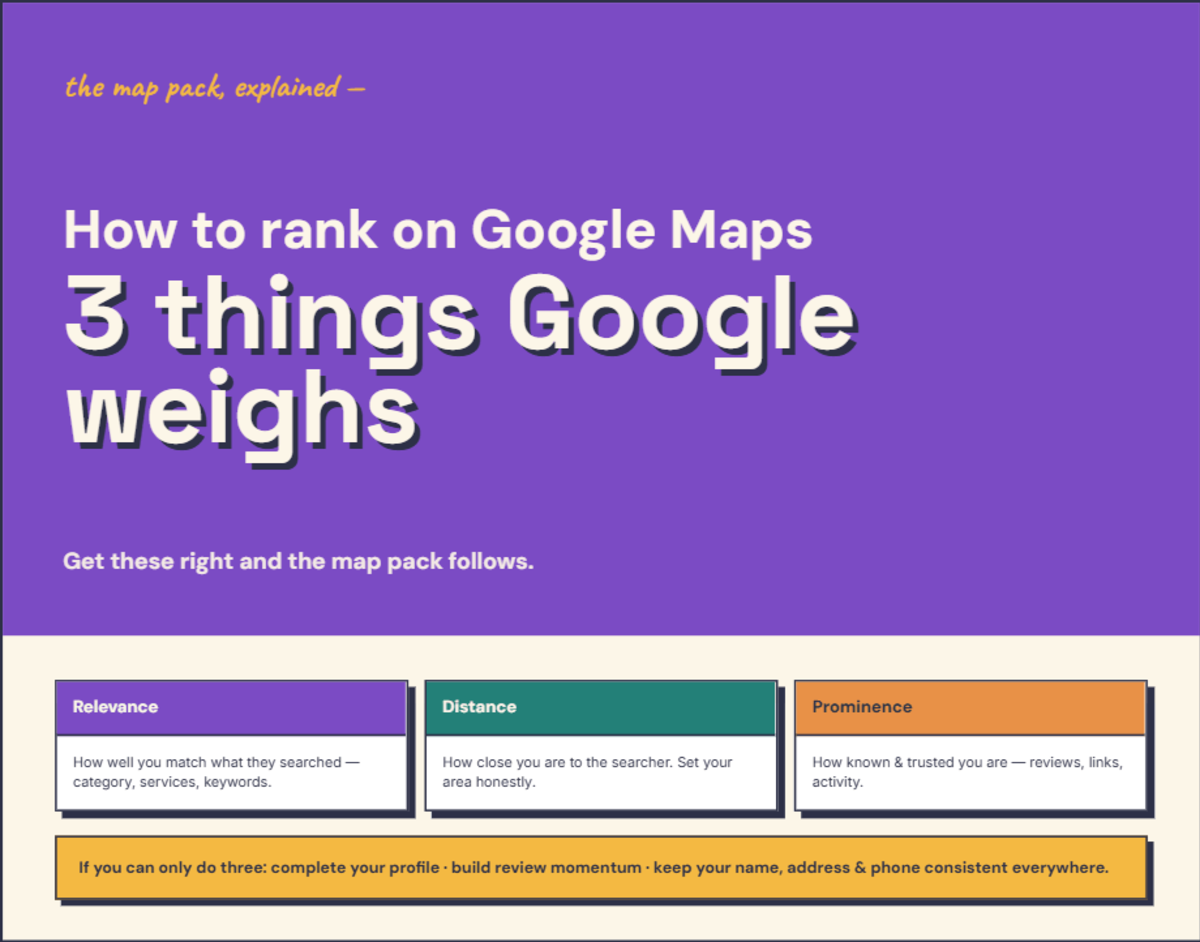
How does Google decide which businesses to show?
Google has confirmed three primary ranking factors for Maps results: relevance, distance, and prominence.
Relevance is how well your listing matches what someone searched for. If someone searches “mobile dog groomer” and your Google Business Profile says “pet services,” you’re less relevant than the competitor whose profile says “mobile dog grooming.” The more specific and complete your listing, the better Google can match you to the right searches.
Distance is how close you are to the person searching. If they’re standing in Scarborough and search for a café, Scarborough cafés have an advantage over ones in Fremantle. You can’t change where your business is — but you can make sure your service area is defined correctly.
Prominence is how well-known and trusted your business appears to be, both online and offline. This is where reviews, website authority, directory listings, and online mentions all come in. A business with 85 recent reviews, a solid website, and consistent listings across the web signals more prominence than one with 3 reviews and no website.
What actually makes the biggest difference?
The Whitespark Local Search Ranking Factors survey — the most thorough study of local ranking signals, updated annually and based on input from 47 top local SEO practitioners — breaks it down like this:
Google Business Profile signals account for about 32% of what determines your local pack ranking. That’s dominant. Eight of the top ten individual ranking signals come directly from your GBP listing.
Review signals account for around 20% and are rising every year. On-page website signals, link signals, and citation signals make up the rest.
The practical takeaway: your Google Business Profile and your reviews are the two biggest levers you have. Everything else supports them.
12 practical things you can do
Get your profile right
1. Complete every section of your Google Business Profile. Every empty field is a missed signal. Business description, services, products, attributes, hours (including public holidays), photos, and the “from the business” section. Google’s Profile Strength meter should be in the green zone.
2. Choose the most specific primary category possible. This is the single most important individual ranking factor. “Italian Restaurant” not “Restaurant.” “Podiatrist” not “Health Practitioner.” Then add 3–4 relevant secondary categories. I’ve written more about common GBP category mistakes and how to fix them.
3. Upload fresh photos regularly. Google’s own research has found listings with photos get around 35% more click-throughs. Upload real photos — your work, your premises, your team. Aim for a few new ones each month. Geo-tagged photos (taken on your phone at your business location) carry slightly more weight.
Build your review momentum
4. Ask for reviews consistently. Not in bursts — steadily. The Whitespark 2026 survey found review recency has jumped sharply up the ranking-factor table. It’s now one of the most significant signals. A business getting 2–3 reviews per week will outperform one that gets 20 reviews in January and then nothing until June.
5. Respond to every review. Positive and negative. BrightLocal’s consumer research has found 88% of consumers would use a business that responds to reviews, against 47% for one that doesn’t respond at all. It takes 30 seconds per review and it matters.
6. Don’t ignore low-star reviews. One negative review won’t sink you. A pattern of negative reviews with no response will. Acknowledge the issue, stay professional, offer to resolve it offline. Potential customers read how you handle complaints as much as they read the complaint itself.
I’ve covered review strategies in detail: how to get more Google reviews and how to ask without being awkward.
Make your details consistent
7. Audit your NAP across the web. Your business Name, Address, and Phone number should be identical everywhere — your website, GBP, Facebook, Yellow Pages, True Local, and every other directory listing. Even small inconsistencies (“St” vs “Street,” different phone numbers) hurt your rankings.
8. Get listed on quality Australian directories. The most important ones: Yellow Pages Australia, True Local, LocalSearch, Hotfrog, StartLocal, and your relevant industry directories. For Perth businesses, local directories like dlook.com.au and aussieweb.com.au also help. Focus on quality over quantity — 10 accurate listings beat 50 inconsistent ones.
Apple Business Connect is worth setting up too — Apple Maps carries a meaningful and growing share of Australian navigation — and ChatGPT leans on Bing data for local results, so Bing Places matters for AI search visibility.
Support it with your website
9. Create dedicated service pages. If you offer three different services, each one should have its own page — not a single “Services” page with everything lumped together. This gives Google more specific content to match against searches, and it gives visitors exactly what they’re looking for.
10. Create location-specific content if you serve multiple areas. If you’re a plumber who covers Scarborough, Innaloo, and Doubleview, dedicated pages for each area help Google understand your service coverage. Make sure each page has unique, useful content — not just the suburb name swapped in.
11. Add LocalBusiness schema markup. This is structured data that helps Google (and AI search tools) understand your business information. It includes your name, address, phone number, hours, and service area in a format that search engines read directly. Your web developer can add this — it’s a one-time job.
Stay active
12. Post to your GBP weekly. Google Posts — updates, offers, events — signal that your business is active. They appear on your listing and give searchers another reason to click. A quick post takes five minutes and keeps your profile fresh.
Google has been rolling an AI-powered “Ask” function into profiles, generating answers from your business information — check these regularly to make sure they’re accurate.
What about paid ads?
Google Ads can put you above the local pack — but they don’t improve your organic Maps ranking. The moment you stop paying, you disappear. The strategies above build lasting visibility that compounds over time.
That said, if you’re in a competitive area and need enquiries now, running Google Ads alongside your organic efforts makes sense. Just don’t rely on ads as a substitute for the fundamentals.
What about AI search?
Here’s something worth watching: BrightLocal’s 2026 survey found 45% of consumers now use AI tools like ChatGPT for local business research — up from just 6% a year earlier. AI search relies on different signals — your website content, directory listings, and mentions on authoritative sites matter more for AI visibility than they do for traditional Google Maps.
The good news: everything on this list supports AI visibility too. A complete GBP, consistent citations, strong website content, and genuine reviews are exactly what AI tools use to recommend businesses.
If you can only do three things
Start with completing your profile (#1), choosing the right primary category (#2), and building a steady review habit (#4). These three changes — all free — address the factors that account for roughly half of your Maps ranking.
Everything else on the list makes it stronger. But those three get you in the game.
Want to know where your business stands in local search? Get a free website audit — I check your Google Business Profile, local SEO, and website together and give you a plain-English report. No cost, no obligation.
Frequently asked questions
How long does it take to rank on Google Maps?
There's no fixed timeline. Some businesses see improvement within weeks of completing their Google Business Profile and building review momentum. Others in competitive industries or locations take months. The most important factor is consistency — regular reviews, fresh photos, active posting, and accurate business information compound over time.
Can I rank on Google Maps without a website?
Yes — Google Business Profile is a standalone listing and you can appear in the Maps pack without a website. But having a website significantly strengthens your listing because Google uses your website content to understand what you do and improve your relevance for different searches. A website also gives searchers somewhere to learn more about you before making contact.
Do Google reviews actually affect my Maps ranking?
Yes. Reviews account for roughly 20% of local pack ranking factors according to the Whitespark 2026 Local Search Ranking Factors survey. What matters most is a steady flow of recent reviews — consumers heavily discount reviews more than a few months old, and Google treats review recency as a ranking signal that's grown significantly in importance.
Want to know how your current website stacks up?
Get a free, plain-English audit.
Get Your Free Audit →