If you’re reading this, something went wrong. Maybe a designer took your money and delivered something unusable. Maybe they disappeared mid-project. Maybe the site looks fine but nothing works the way it should. Nobody can find it on Google, and the person you’re paying isn’t returning your emails.
You’re not alone. A 2024 study by the ASBFEO and the University of the Sunshine Coast found that nearly 70% of small businesses last fewer than 12 months with their digital service provider. One in three of those relationships end in a dispute.
This post is a practical recovery guide. It won’t undo what’s happened, but it’ll help you figure out where you stand, what you can salvage, and how to move forward without making the same mistake twice.
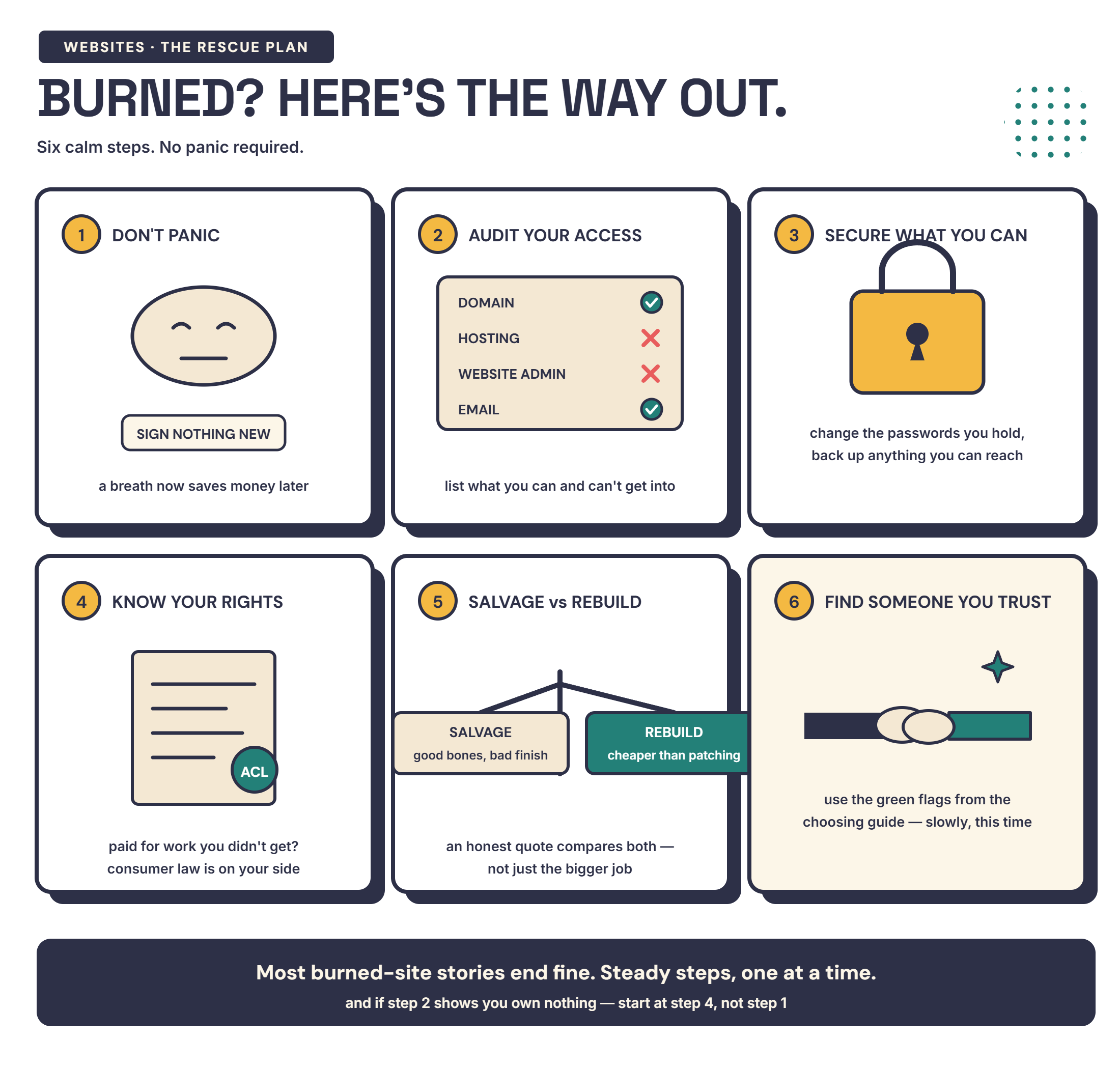
Step 1: Don’t panic — and don’t sign anything new yet
The worst time to make a big decision about your website is when you’re frustrated, stressed, and just want the problem to go away. That’s exactly when you’re most vulnerable to another provider swooping in with a flashy pitch and a “we’ll fix everything” promise.
Before you spend any more money — on a new website, a new designer, a new platform, an SEO package, anything — take a breath. The first priority is understanding what you’ve actually got.
Step 2: Audit what you have access to
Go through each of these and write down what you can and can’t access:
Your domain name. Can you log into the registrar (Namecheap, VentraIP, GoDaddy, or similar)? If you have a .com.au domain, check the auDA WHOIS tool to see whether it’s registered in your name. If it is, you’re in a stronger position than you think — even if your designer set everything else up. The domain is the piece that matters most.
Your hosting. Do you have a login for a hosting provider? If you’re not sure who your hosting provider is, a WHOIS lookup will sometimes show the name servers. That can point you to the hosting company.
Your website admin (CMS). Can you log into the backend of your website — WordPress, Squarespace, Wix, or whatever platform it’s built on? Can you make changes?
Your website files. Do you have a copy of the actual files that make up your website? If not, could you get them from your hosting provider or your designer?
Your Google accounts. Can you log into your Google Business Profile, Google Analytics, and Google Search Console? Are these under your email address or your designer’s?
Your content. Do you have copies of your website content — the text, images, and any other assets — saved somewhere outside the website itself?
Write all of this down. This is your starting point.
Step 3: Secure what you can right now
For anything you do have access to:
Change your passwords. If your previous designer has login credentials to your domain, hosting, CMS, or Google accounts — and the relationship has broken down — change those passwords now. Add two-factor authentication where possible.
Download backups. If you can access your hosting or CMS, download a full backup of your website files and database. Even if you’re not sure what to do with them yet, having a copy means you’re not dependent on anyone else to recover your site.
Check your domain renewal date. If your domain is in your name, make sure auto-renewal is turned on and the payment details are current. The last thing you want is for your domain to lapse because your old designer’s credit card was on file.
Save any documentation. Emails, proposals, contracts, invoices, screenshots of conversations — anything that records what was agreed, what was delivered, and what was paid. You might need these later.
Step 4: Understand your rights
You have more protection than you might think.
Australian Consumer Law applies to web design services. If a provider has engaged in misleading or deceptive conduct — like promising results they can’t deliver or misrepresenting what’s included — that’s a potential breach of Section 18 of the ACL. It doesn’t matter what the contract says.
Unfair contract terms protections were significantly strengthened in November 2023. Automatic rollover clauses, excessive cancellation fees, one-sided variation clauses, terms that lock you into a platform you can’t leave — those may now be unlawful and attract penalties. This applies to any contract made, renewed, or varied after 9 November 2023. Your business needs to have fewer than 100 employees or under $10 million turnover.
Free dispute resolution is available. The ASBFEO (Australian Small Business and Family Enterprise Ombudsman) offers free support for small businesses in dispute with other businesses. They can help with mediation, and they’ve handled digital service provider disputes specifically. In one case, a small business owner was released from an IT service contract — saving $8,000 — after ASBFEO intervened. Their phone number is 1300 650 460.
In Western Australia specifically, the WA Small Business Development Corporation provides a low-cost dispute resolution service overseen by the WA Small Business Commissioner. They can assist with contract disputes, unfair terms, non-performance, and non-payment issues. You can also anonymously report unfair business practices for investigation.
For domain disputes involving .au domains, auDA has a formal complaints process that can help resolve registration issues.
I’m not a lawyer, and none of this is legal advice. But these resources exist specifically for situations like this, and most small business owners don’t know about them.
Step 5: Decide what to salvage and what to rebuild
This is the practical question: do you fix what you’ve got, or do you start over?
Fixing makes sense when:
- Your domain is in your name and you have access to it
- The hosting is accessible and you can get to the website files
- The core structure of the site is sound — it just needs updating, fixing, or completing
- The content is mostly there but needs improvement
- Budget is tight and a full rebuild isn’t realistic right now
Starting fresh makes sense when:
- The site is built on a proprietary platform only your old designer can access or edit
- The CMS is so outdated or obscure that no other developer can reasonably work with it
- The design, structure, and content are all so far off that fixing them would take longer than rebuilding
- You’ve been promised things that were never delivered and there’s nothing usable to show for it
There’s also a middle ground — keeping your domain and content but rebuilding the site itself on a modern, open platform. That’s often the most practical path forward. And if the site is mostly functional but has specific things that need fixing, hourly website help lets you pay for exactly the work you need — no full project, no monthly retainer.
One thing I’d flag: the sunk cost trap is real. If you’ve spent $3,000 or $5,000 on something that isn’t working, it’s natural to want to make it work to justify the spend. But sometimes pouring more money into a broken foundation costs more than starting again on solid ground. The money you’ve already spent is gone either way. The question is what gets you to a working website faster from here.
Step 6: Find someone you can trust this time
If you’re looking for a new web designer after a bad experience, the vetting process matters more now. I’ve written a full guide on how to choose a web designer without getting burned — but the short version is:
Look for published pricing. If they won’t tell you what something costs before you get on a sales call, that’s worth noting.
Ask who owns the website. Your domain should be in your name. You should get full admin access. If you leave, everything comes with you. Get this confirmed in writing before any work starts.
Check their process. A good designer will spend time understanding your business before they quote you anything. If someone is offering to fix everything without understanding what’s actually wrong, they’re guessing — or selling.
Ask for documentation. When the project is done, you should receive a handover document. It should cover what was done, what platforms and tools are in use, all login credentials, and instructions for managing the site going forward. If your last designer didn’t provide this, make it a requirement for the next one.
Trust your gut. You already know what a bad experience feels like. If something feels off in the first conversation — pressure to sign quickly, vague answers about ownership — listen to that instinct. It was right last time. I’ve also written about the marketing tactics I refuse to use, which is a good checklist for what to watch for.
You’re not starting from zero
A bad experience with a web designer doesn’t mean you’ve wasted everything. Your business still exists. Your customers still need you. Your domain, your content, your brand — those are all assets you can build on.
The goal now isn’t to find a designer who promises to fix everything overnight. It’s to find someone who’ll sit down with you and understand where things are at. Someone who’ll help you get back to a solid baseline, then map out a path forward at a pace and price that works for your business.
If that sounds like the kind of conversation you need right now — I’m happy to have a chat. No pitch, no pressure, no commitment. Just a straight conversation about where you’re at and what your options are.
Frequently asked questions
What should I do if my web designer has disappeared?
First, check what you still have access to — your domain registrar, hosting account, website admin, and Google Business Profile. Change any passwords you can. If your domain is in your name, you're in a stronger position than you think. If your designer holds the domain or hosting, contact the registrar directly or use the auDA complaints process for .au domains. The ASBFEO can also help mediate disputes.
Can I get my website files from a web designer who won't cooperate?
If your contract includes an IP assignment clause, you legally own the files. Contact the designer in writing requesting handover. If they refuse, the ASBFEO offers free dispute resolution support, and the WA Small Business Development Corporation provides a low-cost mediation service. The AWIA Web Industry Guidelines also state that members should transfer client-owned code at no cost once bills are paid.
Is it worth fixing a bad website or should I start over?
It depends on what you're working with. If the domain is in your name, the hosting is accessible, and the core structure is solid, fixing it is usually faster and cheaper. If the site is built on a proprietary platform you can't access, uses a CMS only the original designer supports, or has fundamental structural problems, starting fresh may be the better investment.
Got a question? Need some advice?
Book a free 15-minute call. No pitch — just straight answers. Most people walk away with a clear next step or a blocker sorted.
Book a Free Call →