
There’s no official NDIS website checklist. I looked — and so has every provider who’s ever Googled “what should I put on my NDIS website.” You’ll find registration checklists, audit preparation guides, and PRODA setup instructions. But nobody has put together a straightforward list of what your actual website needs.
So here it is. This is based on the NDIS Practice Standards, the Code of Conduct, the Disability Discrimination Act, and — just as importantly — what support coordinators and plan managers actually look for when they’re assessing providers online.
I’ve split it into three sections: things that are legally required or strongly tied to your obligations, things that are best practice and expected by referral sources, and things that make a real difference but most providers skip.
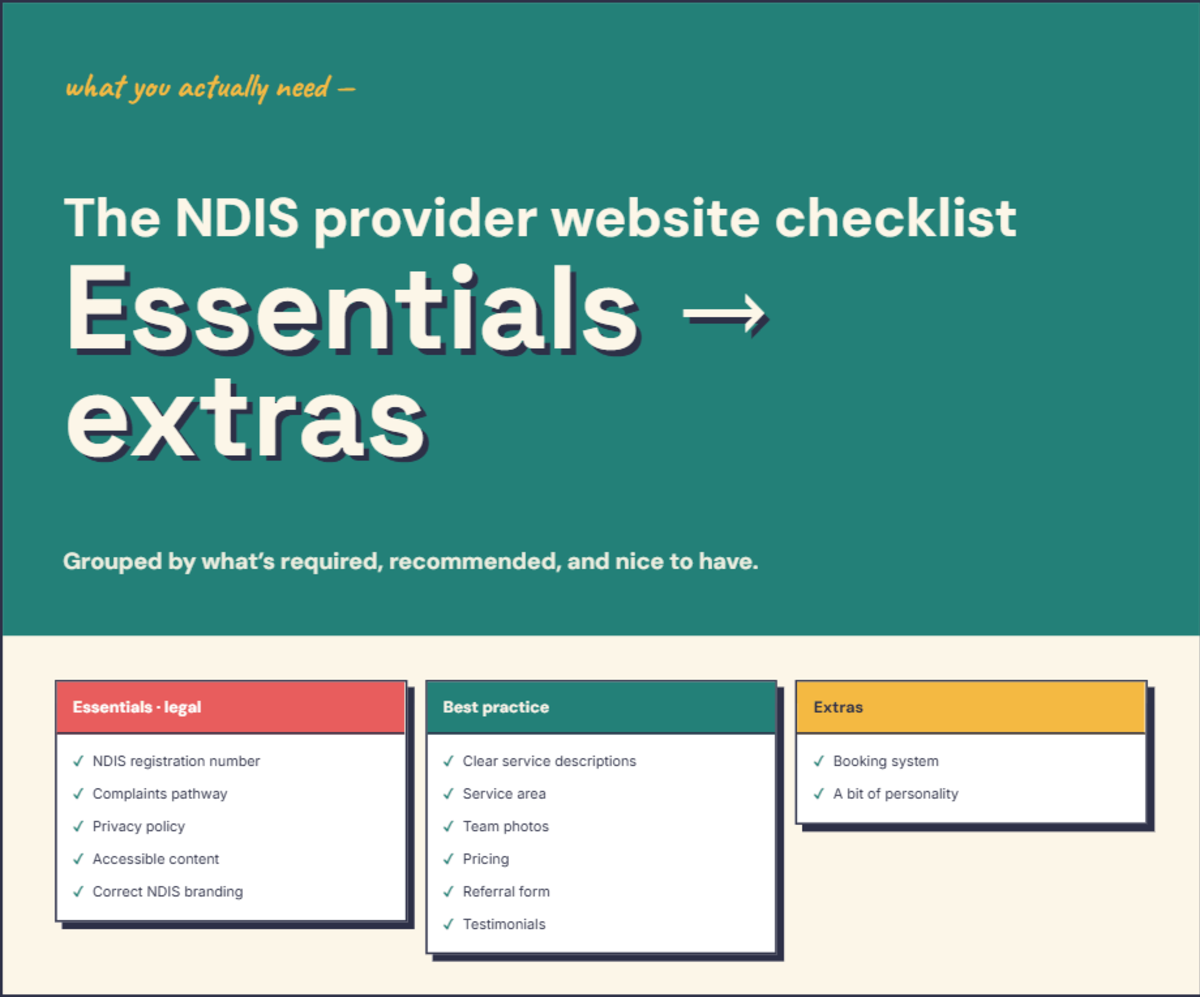
The essentials — tied to your legal obligations
Your registration status and number
If you’re a registered provider, say so clearly and include your registration number. Don’t bury it in a footer nobody reads — put it on your About page and your homepage. The NDIS Code of Conduct prohibits misrepresenting your registration status, so accuracy matters here. If your registration lapses or your registration groups change, update your site immediately.
If you’re not registered, don’t imply that you are. You can still provide services to self-managed and plan-managed participants — just be upfront about it.
A complaints pathway
The Practice Standards require an accessible complaints management process. If your website is the main way people find and contact you, your complaints process needs to be findable on the site. This doesn’t need to be complicated — a dedicated “Feedback and Complaints” page, or a clear section on your contact page, with information about how to raise a concern and how you’ll handle it. Include the NDIS Commission’s contact details as an external complaints option.
A privacy policy
The Practice Standards (Division 2, Information Management) require providers to explain how participant information is collected, stored, and used. A plain-English privacy policy on your website covers this. Don’t use a 3,000-word template generator document — write something your clients can actually understand.
Accessible content
The Disability Discrimination Act requires services to be provided without discrimination. If your website is a way people access your services — finding information, making referrals, contacting you — it needs to be accessible. That means alt text on images, sufficient colour contrast, keyboard navigation, proper form labels, and logical heading structure. I’ve written a full accessibility guide covering what WCAG 2.2 Level AA means in practical terms.
Correct NDIS branding
If you use the “I ♥ NDIS” or “We ♥ NDIS” logo, it must include the “Registered Provider” tagline. You can’t alter the colours, size, or design. You can’t use phrases like “NDIS approved,” “NDIS endorsed,” or “official NDIS provider.” I’ve covered the full marketing rules including the enforcement cases and penalties in a separate post.
Best practice — what support coordinators and plan managers look for
Clear service descriptions
A support coordinator trying to find the right provider for their client doesn’t want to read your mission statement. They want to know what you do, who you do it for, and where. Individual pages for each type of support you provide — support coordination, SIL, core supports, capacity building, allied health, plan management — make it easy for them to find what they need.
Write for the person reading it, not for the NDIS. “We help you build daily living skills and confidence” is clearer than “We provide Capacity Building Supports under the Improved Daily Living funding category.” Both are accurate. One is readable.
Service area with specifics
“Perth metro” is a starting point, but it’s not specific enough for a support coordinator working out whether you can actually reach their client. List the suburbs or regions you cover. If you travel within a certain radius, say so. If there are areas you don’t service, that’s worth noting too — it saves everyone time.
Team profiles with real photos
People are choosing someone to provide care or support to them or their family. A stock photo of someone in scrubs isn’t going to build trust. Real photos of your actual team — even if it’s just you — with a brief background on qualifications and experience. You don’t need professional headshots. A clear, friendly photo taken on a phone is better than a generic stock image every time.
Your NDIS pricing
The NDIS Pricing Arrangements and Price Limits is a public document. There’s no rule against publishing your rates. If you do, make sure you label them as maximum NDIA price limits (if that’s what they are), keep them current when the annual PAPL updates, and ensure they’re consistent with what you charge non-NDIS customers for the same service.
A referral or intake form
This is how support coordinators and plan managers will contact you about new clients. Make it easy. The fields that matter:
- Name
- Phone number
- NDIS number
- Plan management type (agency-managed, plan-managed, or self-managed)
- Type of support they’re looking for
- File upload option (for plans or reports)
- A free-text field for anything else
That’s it. Every extra field — date of birth, address, funding category codes, emergency contacts — reduces the chance someone actually fills it in. Collect the rest during your intake conversation, not on the form.
Testimonials or social proof
A quote from a participant (with their consent), a Google review, or a note from a support coordinator who refers to you regularly. Nothing builds trust like someone else saying you’re good at what you do.
The extras that make a real difference
A booking or scheduling system
“Email us to arrange a meeting” creates friction. A simple online booking system — even just a Calendly link — lets support coordinators and participants book an initial conversation without the back-and-forth of phone tag and email chains.
Content that shows your personality
Most NDIS provider websites look the same. Clean, professional, corporate — and completely interchangeable. If you’re a sole operator who got into this work because you genuinely care about the people you support, let that come through. Your “why” matters. Your approach matters. The way you describe what you do should sound like you — not like a compliance document.
Mobile optimisation
Around half of all web traffic is on mobile devices. If your site doesn’t work properly on a phone, you’re losing a huge share of your potential audience before they’ve read a word. This should be standard in every build, but it’s worth checking — especially if your site was built a few years ago.
A sitemap and basic SEO
A sitemap helps search engines find all your pages. Basic SEO — title tags, meta descriptions, heading structure, alt text — helps those pages show up when someone searches for your type of service in your area. I’ve covered the basics in my NDIS provider website guide.
The quick-reference version
Legally tied:
- Registration status and number — visible, accurate, current
- Complaints pathway — findable on the site
- Privacy policy — plain English
- Accessible design — WCAG 2.2 Level AA
- Correct NDIS branding — logo rules, no prohibited phrases
Best practice:
- Individual service pages per support category
- Service area with suburb-level detail
- Real team photos and qualifications
- NDIS pricing (current, labelled correctly, consistent across audiences)
- Referral form with NDIS-specific fields
- Testimonials
Makes a real difference:
- Online booking system
- Your personality — not a corporate template
- Mobile optimisation
- Sitemap and basic SEO
If you’d like me to run through your current site against this checklist, I offer a free website audit that covers content, accessibility, and NDIS-specific elements. No pitch — just an honest assessment of where you’re at.
Frequently asked questions
Is there an official NDIS website checklist?
No. The NDIS Quality and Safeguards Commission doesn't publish a website-specific checklist. But several obligations under the Practice Standards, Code of Conduct, and Disability Discrimination Act affect what should be on your site. This checklist is based on those requirements plus what support coordinators and plan managers actually look for when assessing providers.
What should an NDIS referral form include?
At minimum: name, phone number, email, NDIS number, plan management type (agency-managed, plan-managed, or self-managed), the type of support they're looking for, and a file upload option for plans or reports. Keep it short — every extra field reduces the chance someone actually fills it in.
Want to know how your current website stacks up?
Get a free, plain-English audit.
Get Your Free Audit →